Introduction
What are Daily Sales Journals?
Daily sales journals collect your daily POS data (sales, discounts, CC & cash payments) in a format that’s exportable to your accounting software.
We track:
-
Sales & Discounts
-
Credit Card Deposits
-
Cash Deposits & Cash Adjustments
-
Sales Tax
-
Delivery Payments
-
Gift Cards
-
Scheduled Orders & Invoices
Getting Started
Set Up Sales Mapping
In the Sales Mapping page, specify which accounts will be mapped to each sales journal line.

For any A/P accounts, specify the linked vendor as well.
Export Sales Journals
You can find your journals in the Sales Journals page:
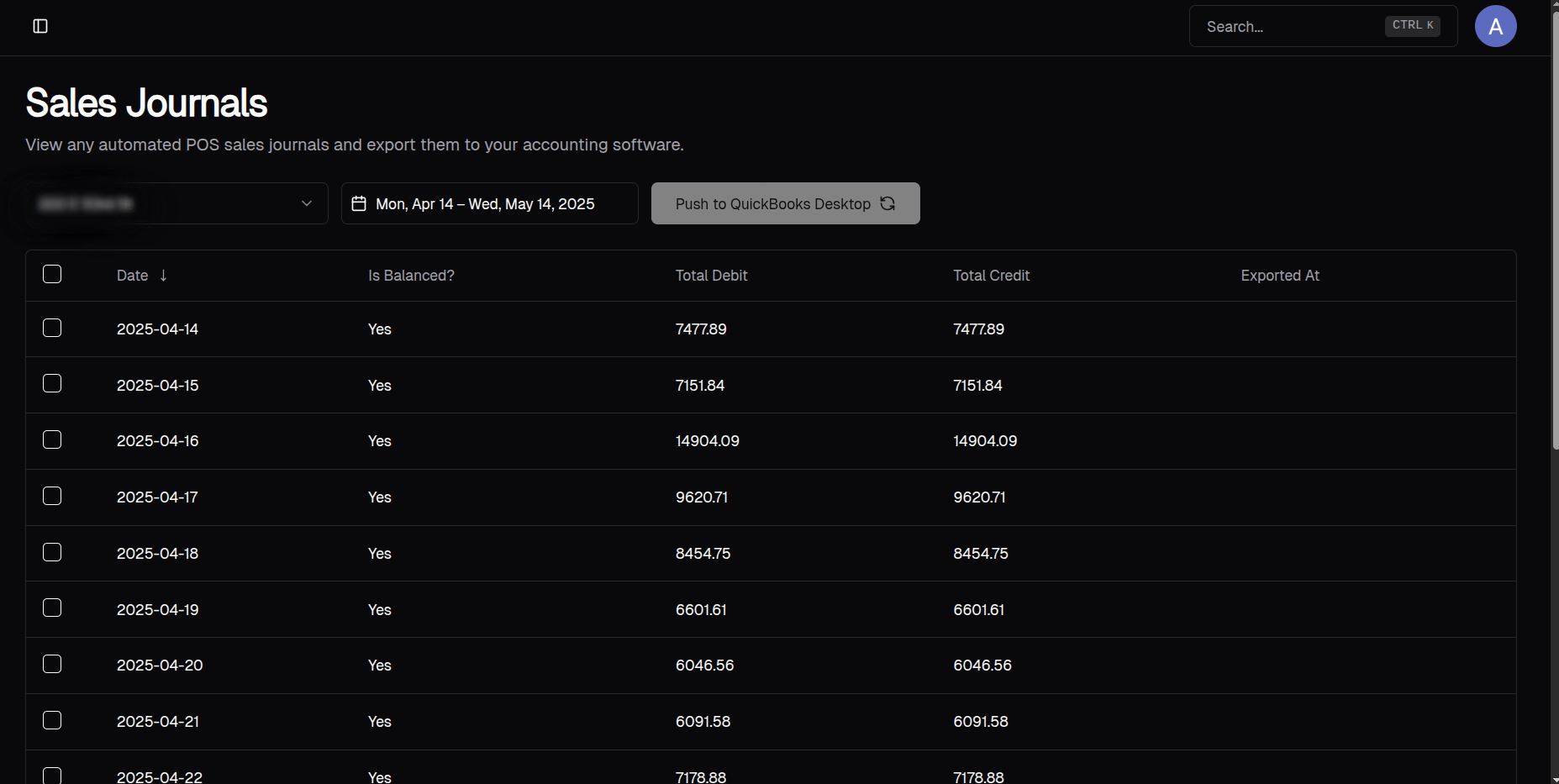
To export, select which entries you want to export and click Push to QuickBooks Desktop. If your accounting system is not QuickBooks Desktop, it will say Push to NetSuite or Push to QuickBooks Online.
You can click on each table row to see the breakdown of each entry, such as:
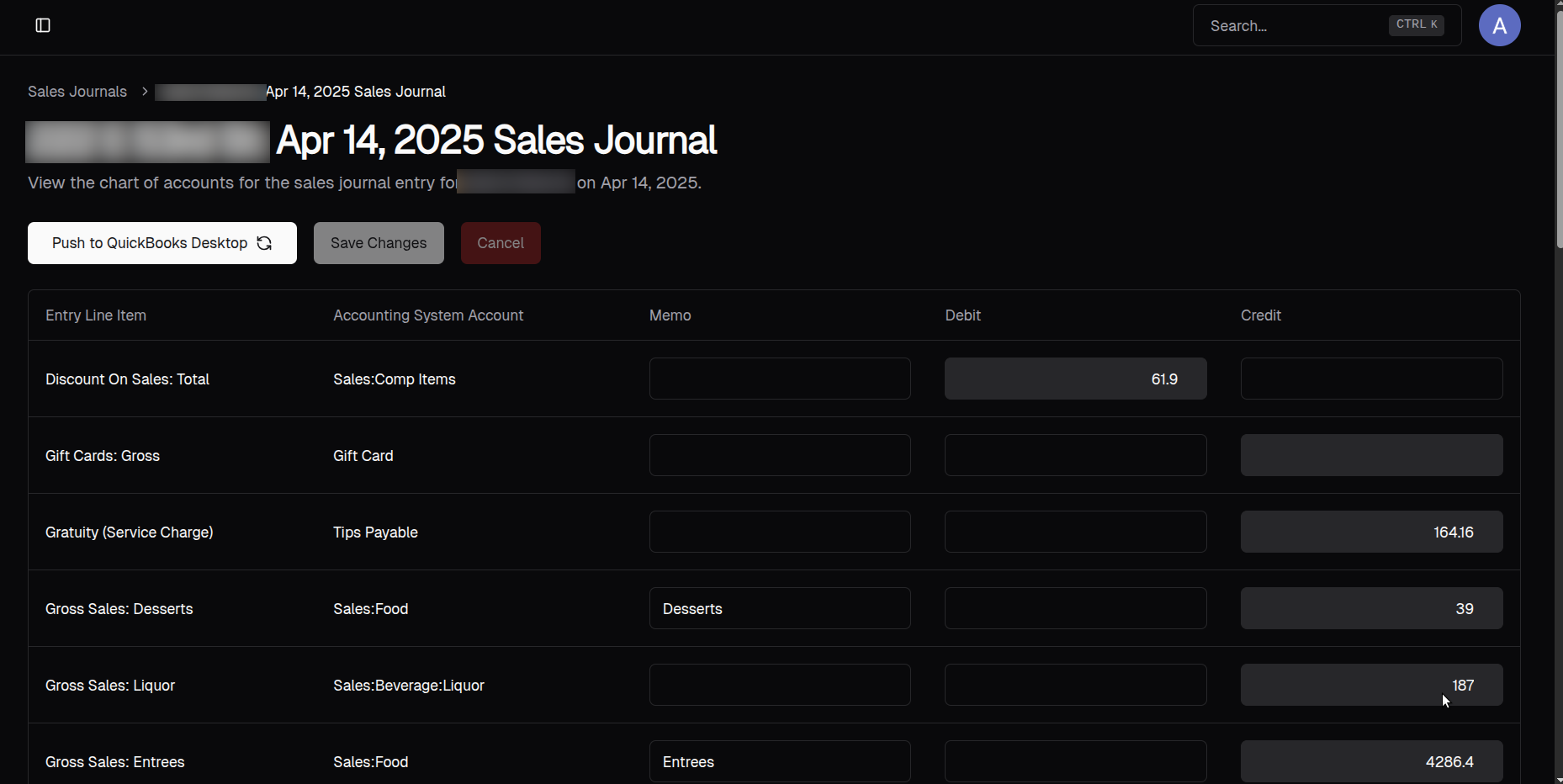
Here, you’ll be able to edit the entry and the memos when necessary.